How to Remove Background Online Free No Sign Up: Get HD Quality with No Watermark
The Struggle to Remove Background Online Free Without Hidden Traps
The 'Free' Export that Costs You High Resolution
Most sites that promise to remove background online free use a frustrating bait-and-switch tactic. You upload your photo, wait for the AI to process it, and then discover the 'free' download is limited to a tiny, blurry thumbnail. Mandatory sign-up walls: If a tool asks for your email before showing the result, it is likely holding your HD file hostage behind a subscription. Honestly, if the site does not show you the resolution upfront, it is a trap. I have seen too many people waste 10 minutes signing up only to get a watermarked mess. To avoid this, always check for a 'Full Image' preview before you commit your time.
Why Most Free Background Removers Sacrifice Your Image Quality
Edge Detection Failures in Low-Resolution Modes
When you use a basic free tool, the algorithm often cuts corners to save on server power, resulting in jagged edges around complex areas like hair. Compression artifacts: Low-resolution exports do not just look small; they are riddled with pixelation that makes your subject look like a cheap sticker. Say goodbye to professional social media posts if you settle for these outputs. I have seen countless creators ruin their brand aesthetic by using blurry cutouts. Before you hit download, zoom in on the edges in the preview; if it looks like a staircase, the final output will be unusable for high-quality designs.

Best Practices to Remove Background Online Free with HD Quality
Finding Truly No-Sign-Up HD Tools
To get the best results without the headache, look for specific 'No-Sign-Up' indicators on the landing page. Truly high-quality tools do not hide their resolution limits in fine print. Transparency verification: I have seen many users download what they think is a transparent PNG, only to find a fake gray checkerboard baked into the image. To fix this, always download in PNG format and verify the file in a viewer that supports alpha channels. If you are working with video, remember that free tools often limit you to very short clips, so plan your social media snippets accordingly.
How to Fix Quality Loss and Upgrade Your Social Media Assets
Using AI Enhancement to Restore HD Detail
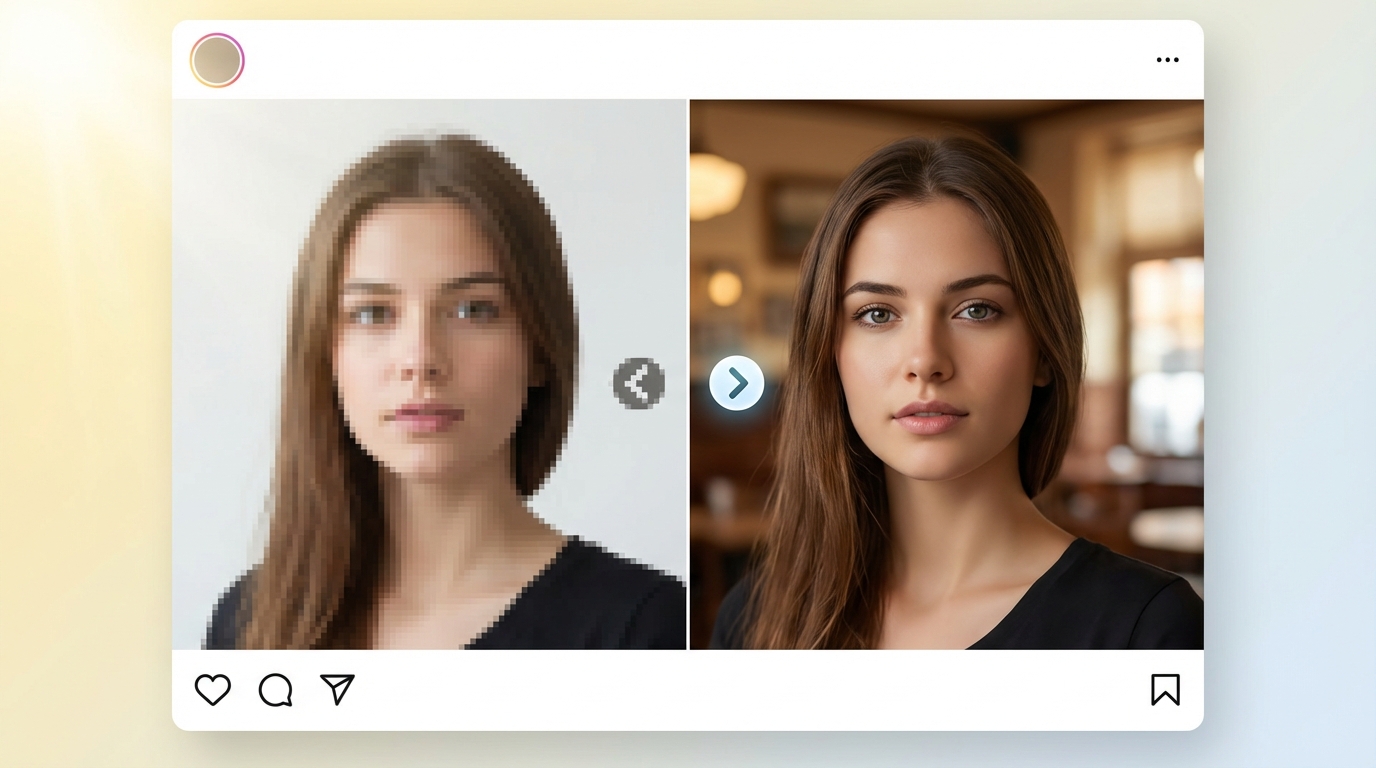
When free tools output a soft or blurry image, you do not have to start over. Instead, use AI to recalculate the missing details and sharpen the edges. AI Upscaling: Modern restoration tools can turn a low-res PNG into a professional asset by fixing the pixelation caused by free background removers. Most successful creators do not stop at background removal; they use a second pass of AI enhancement to ensure their visuals look premium on high-resolution screens. This extra step is what separates amateur posts from high-end social media designs.
A Quick Checklist for Your Next Background Removal Task
Resolution vs. Convenience: Making the Right Choice
Decide if speed or quality is your ultimate goal before you start the task. The Professional Standard test: If your image is going on a landing page or a paid ad, a 30-second free tool is rarely enough. To reduce your trial-and-error costs, using Koinavi can be a helpful reference in your creative workflow. Always choose high resolution over a quick shortcut to keep your social media presence looking professional. Don't forget to double-check your export settings to ensure 'HD Quality' is selected every single time.