How to Remove Background from Image: Fast and Free Methods for Social Media
How to Remove Background from Image: Fast and Free Methods for Social Media
Common Frustrations When You Try to Remove Background from Image
Losing fine details like hair or fur
Most people think background removal is a one-click miracle, but it often ends in a mess. Losing fine details like hair or fur is the biggest giveaway of a cheap edit. If your subject has frizzy hair or you are shooting a pet, standard tools often leave a weird halo or jagged edges that make the photo look like a bad collage. I have seen so many creators settle for these helmet-head cutouts, and frankly, it ruins your brand's credibility.
To fix this, always zoom in on the edges before exporting. If the hair looks like a solid block, you need a tool with better edge-refinement AI. Jagged edges and unnatural cutouts: these are usually a sign that the AI failed to distinguish between the foreground and background colors, so try to shoot against a high-contrast backdrop whenever possible.
Why Most Background Removal Attempts Look Unprofessional
Lighting and color inconsistency
Even with a clean cut, your photo might still look fake. Lighting and color inconsistency is why most DIY removals look unprofessional. You take a subject shot in warm indoor light and slap them onto a cool, bright beach background—it just does not work. If the lighting does not match, the subject will always look pasted on, no matter how perfect the edges are.
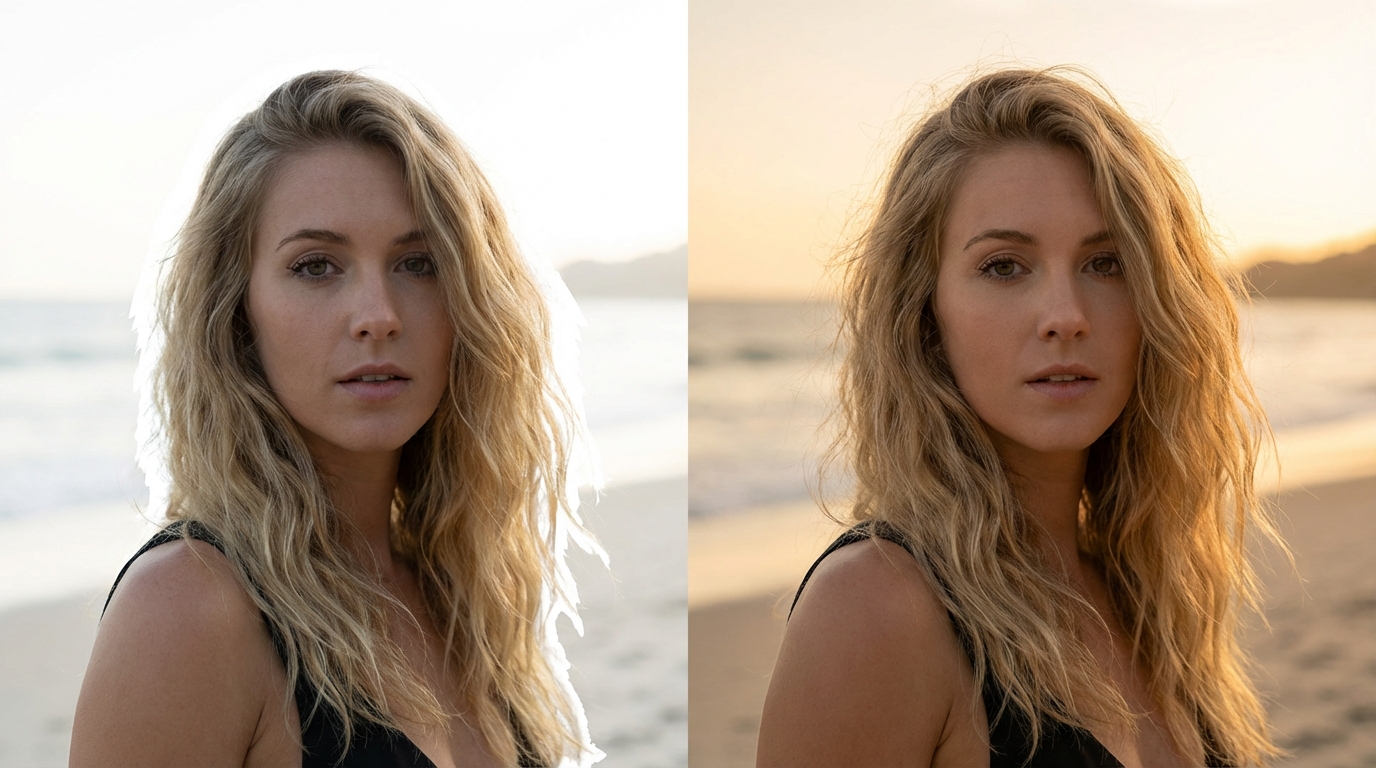
Another trap is low-resolution output constraints: many free sites compress your file so much it looks blurry on a high-res social media feed. If you are serious about your content, do not sacrifice resolution for a free tool. The solution is to use a basic color-matching filter or adjust the temperature of your subject to blend into the new environment after the background is gone.
The Best Ways to Remove Background from Image and Video
Using AI-powered online tools for instant results
For most of us, using AI-powered online tools for instant results is the only way to stay productive. If you are on an iPhone, the native background removal on mobile feature in the Photos app is surprisingly good for quick social shares, but it lacks the precision for complex GIFs or video backgrounds. For videos, you are looking at rotoscoping, which used to take hours but is now handled by AI in seconds.
Do not waste time manually masking frame by frame. If a tool does not offer an auto-mask for handling complex formats like GIFs and video backgrounds, it is not worth your time in 2024. Native removal is great for a quick story, but for a professional YouTube thumbnail or an ad, stick to desktop-class AI tools that allow for manual edge tweaking if the automation slips up.
How to Optimize Your Assets for Social Media After Background Removal
Applying aesthetic filters and natural retouching
Removing the background is just the halfway point. Applying aesthetic filters and natural retouching is what actually sells the image. Once you have your transparent cutout, you need to think about the layout and how it interacts with text. I have found that adding a subtle drop shadow or a slight outer glow can bridge the gap between the subject and the new background.
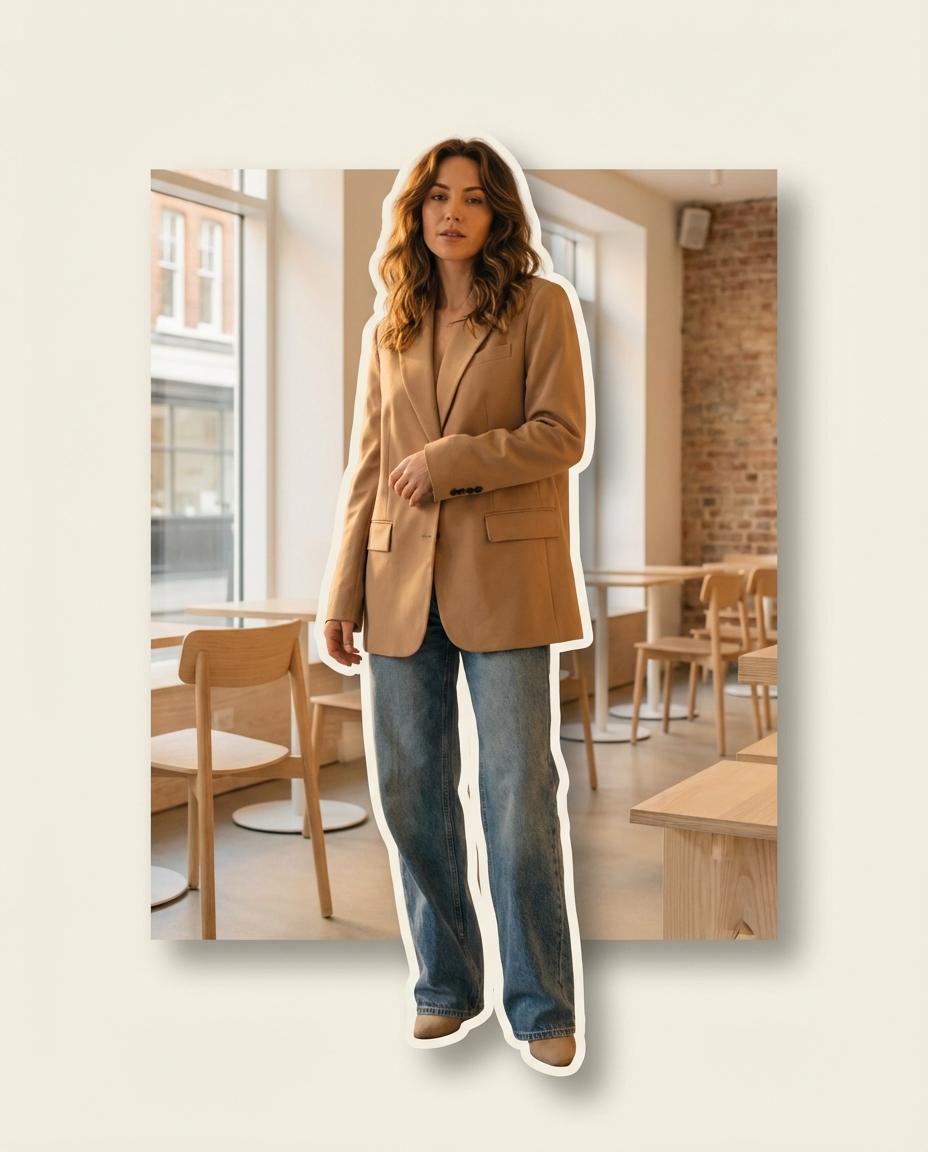
Generating viral layouts and captions automatically is the next step in a modern workflow. Instead of manually placing every element, use a system that understands the composition. Tools like Koinavi can help you bridge this gap by suggesting filters and layouts that make the whole composition feel cohesive rather than disjointed. It is about moving from a raw cutout to a finished post in minutes.
Next Steps for High-Quality Social Content
Choosing the right file format (PNG vs. WebP)
Finally, pay attention to the technical side. Choosing the right file format (PNG vs. WebP) can make or break your site's loading speed or your post's clarity. If you need transparency, PNG is the standard, but WebP is much better for web performance and mobile loading speeds. Avoid JPEG if you need to keep that transparent background—I have seen too many people export as JPEG only to find a solid white box behind their subject again.
👉 在线免费生成画像生成ページへ移動